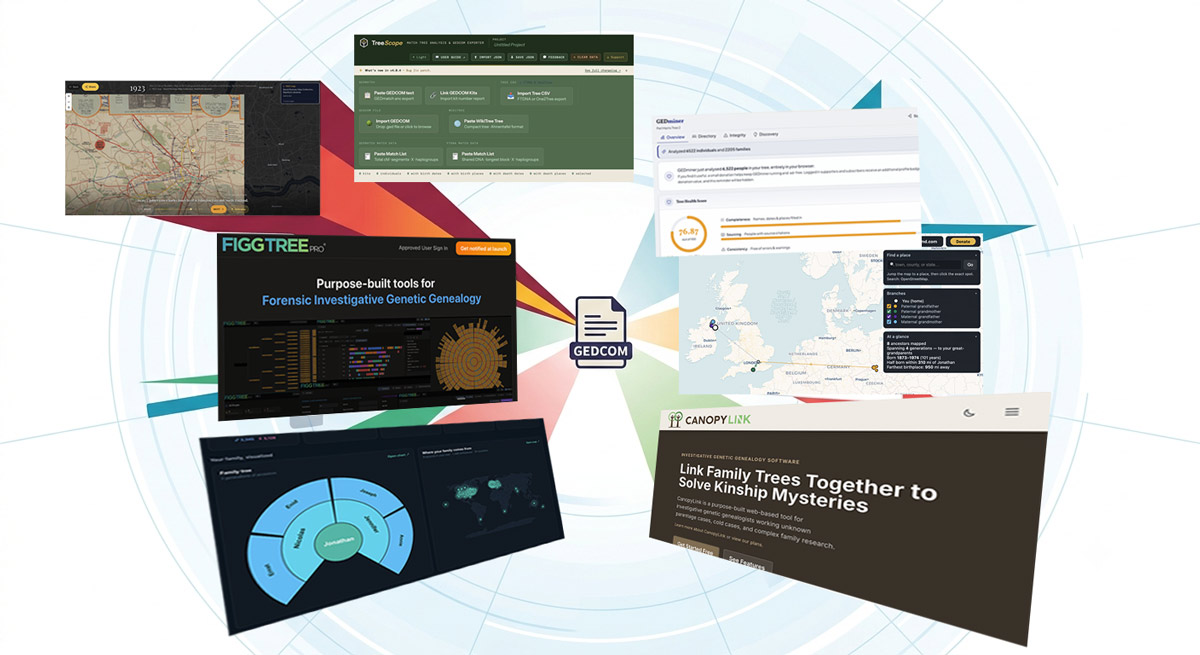
Over the past year, there has been a sudden proliferation of tools to help genealogists analyze and display family trees. Most of these tree tools are aimed at a broad family history audience, while others are designed for investigative genetic genealogy. In this post, I’ll look at some of these tools and also discuss the current landscape for web development in genealogy.
Why trees?
No one should be surprised that genealogists want to build tools to visualize and interrogate family trees. After all, the family tree is at the heart of our work. And since we can export its data to GEDCOM, an easy-to-parse text format, there are endless possibilities for analysis and presentation. However, back in 2019 when I launched ancestral trees at DNA Painter, there weren’t that many web-based tools available.
Anyone can do it
The reason for this sudden change won’t surprise anyone. While many still code ‘the old way,’ the rise of artificial intelligence (AI) has changed things. Anyone who wants to can now visualize their GEDCOM file simply by asking a chatbot. Some stop there, while others take the extra step to turn their work into a standalone web application that others can use without having to engage with AI to build it from scratch.
It’s remarkable how quickly things have changed. In the summer of 2022, I wanted add a map feature to ancestral trees, and wasn’t sure where to start. I hired a developer who built what would become (when I eventually launched it!) the Places feature within ancestral trees. Fast forward to 2026, and anyone can build a variation on this feature just asking an AI chatbot to build and deploy it (and someone has actually done this; read on for more!)
Of course, this doesn’t mean that these apps are thrown together: there’s still a great deal of iteration and testing involved even if AI is doing the actual coding. There’s also a broad spectrum of AI use, from developers who use AI for advice or small snippets of code, to non-technical enthusiasts who create an app entirely from a chatbot prompt.
My take
My position on all this is complicated:
- In general, opening up development to anyone who is passionate about a topic, regardless of whether or not they know how to code, has to be a positive thing. After all, web developers do not have a monopoly on interesting ideas: the most important factors are a passion for the subject and diligent testing skills.
- However, with my web developer hat on, I feel a bit wary: apps developed with AI may be more likely have security holes since those who develop them may not yet have much experience with these issues.
- There’s also a potential danger that a bad actor could duplicate a popular web app and use it to harvest data.
- Overall, I’m definitely enthusiastic about the possibilities!
Specific tree applications
Here are some of the applications that have caught my attention recently. To be clear, these were not all created with AI. I haven’t yet had time to explore all of them in detail, but hope to do so in the coming months.
| Tool | Focus |
|---|---|
| Ancestor Map Builder | Ancestor migration map |
| Gedminer | GEDCOM analysis, research ideas |
| TreeAlive | Ancestor location animations |
| TreeLab | GEDCOM analysis, visualisations |
| TreeScope | DNA match trees |
| CanopyLink | IGG case management |
| FiggTree Pro | Upcoming forensic workflow tool |
These sites tend to have slick designs that feel fresh in contrast with the “old school computer program” look and feel of traditional desktop genealogy software. I’m guessing there will be some I’ve missed, and people are probably creating new ones as I type; if you spot a promising new tool, please feel free to email me about it!
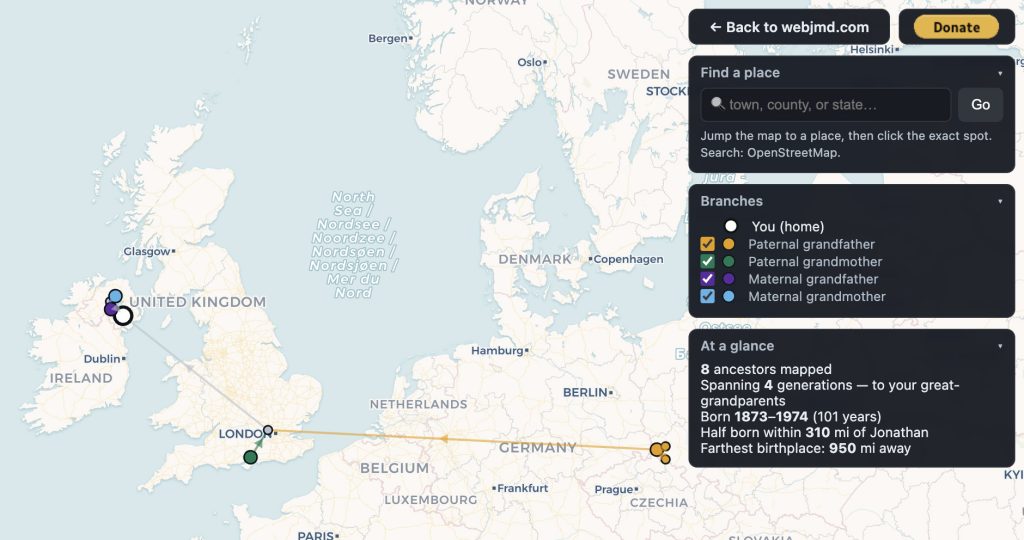
Ancestor Map Builder 2.0
Ancestor Map Builder: webjmd.com/mymapbuilder/
“See where your ancestors came from — and make a map you can share.”
Built by Jason Duncan using Claude Code, this is a web application that lets you build an ancestor map similar to that in DNA Painter Places. At present you need to position each pin manually. You can read more on Jason’s blog or click below to access the app directly.
Gedminer
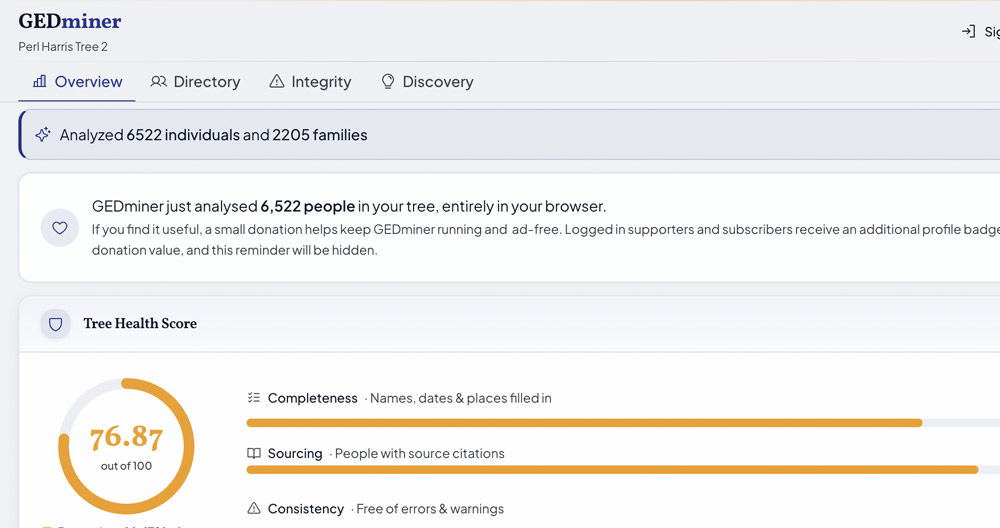
Gedminer: gedminer.com
“Upload your GEDCOM file to uncover insights, find research opportunities, and validate your genealogy data“
Clearly a labour of love, Gedminer combines guides and FAQs with extensive tree analysis, highlighting errors and making research suggestions. The site stores your data in your browser without sending it to a server, although you can also create a free user account to save it there if you want to.
TreeAlive
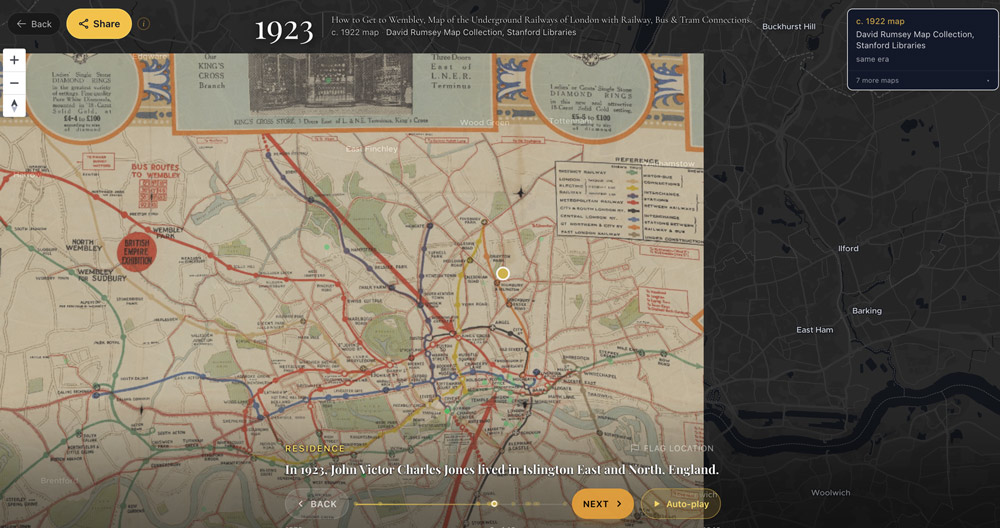
TreeAlive: treealive.com
“TreeAlive turns your family tree into a short film: every birth, migration, and marriage, animated on historical maps from the years your family lived them“
TreeAlive is an impressive and very ambitious site built by Sam Morrison. It combines maps with location information from your tree (such as census data) to create animated visualisations of migration over time.
TreeLab
Treelab: treelab.jernealogy.com
“Turn your GEDCOM into actionable insights”
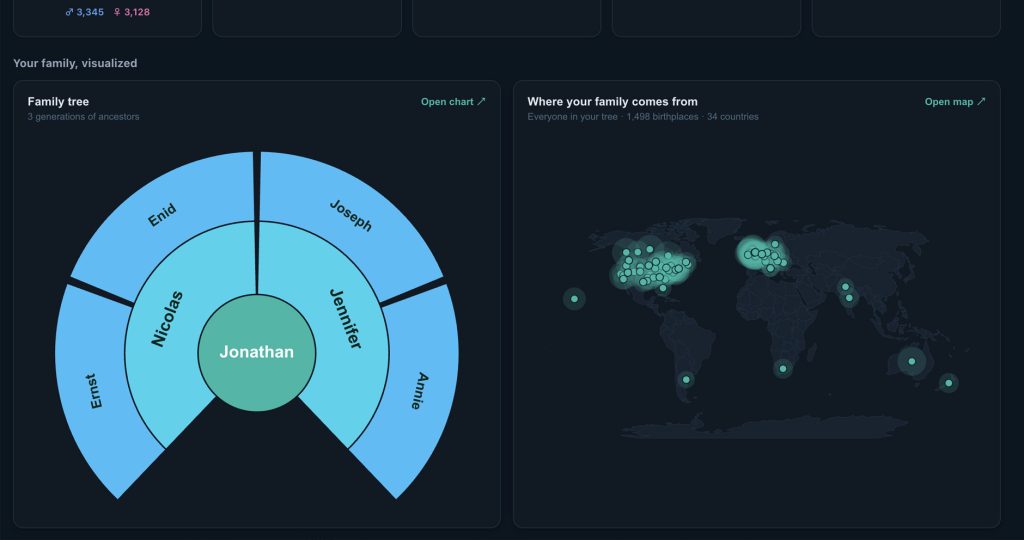
TreeLab is a GEDCOM analyzer created by Jeremy Lehmann via Claude Code. It’s similar to Gedminer in that it extracts data and statistics from your GEDCOM. Treelab has a dark theme and more of a focus on charts and maps, which are nicely done. Again, the site stores your data in the browser unless you create a free account.
TreeScope
TreeScope: boylegenealogy.com/tools/treescope/overview.html
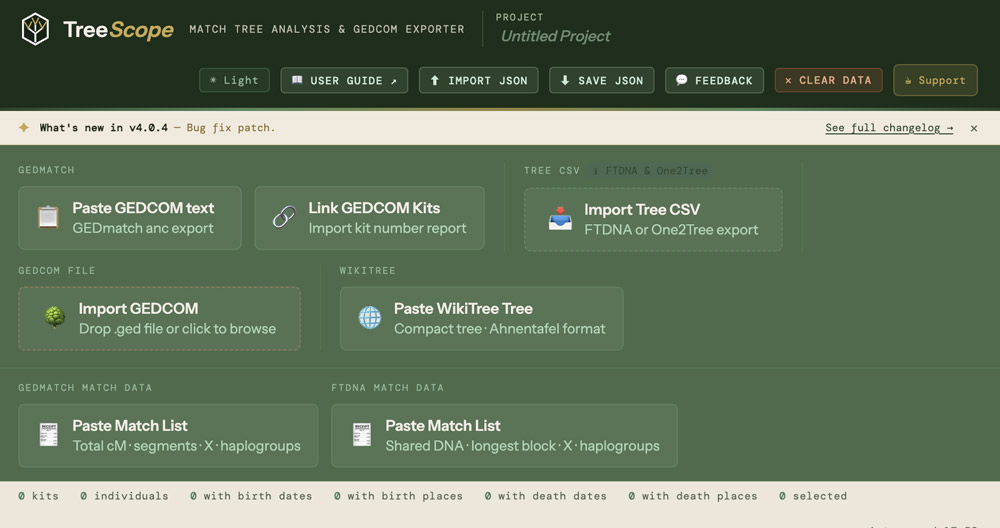
Created by Tracie Boyle, TreeScope has some interesting features not available elsewhere. In Tracie’s words: “It started as a way to import match trees and convert them into GEDCOMs, but it’s evolved into a pretty solid tool for analyzing DNA match trees and working through connections more efficiently.” You can read more on her blog.
Tracie mentions that TreeScope’s export capability makes it useful for IGG professionals working in two tree applications designed for this field, which I will now describe.
CanopyLink
CanopyLink: canopylink.org/
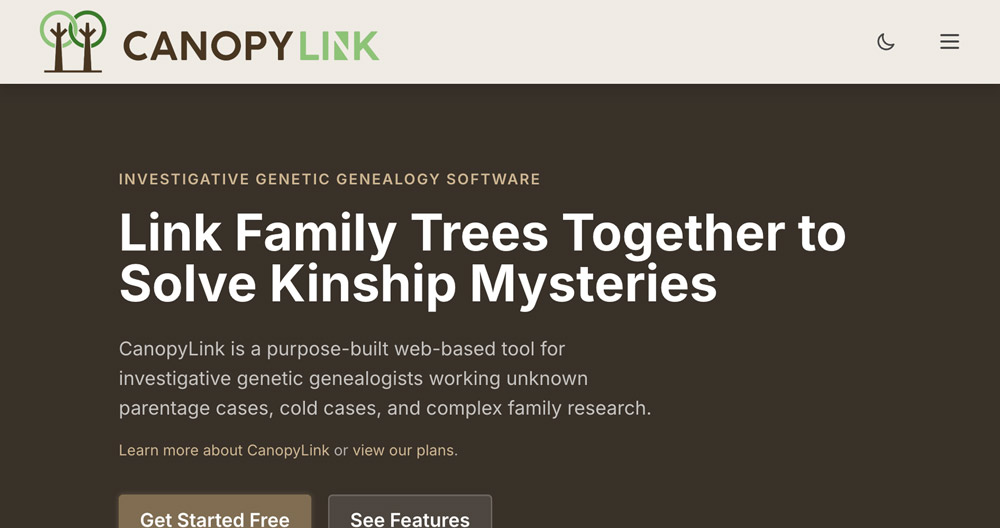
“CanopyLink is a purpose-built web-based tool for investigative genetic genealogists working unknown parentage cases, cold cases, and complex family research“
Unsurprisingly given its planned use, CanopyLink appears to have a strong focus on data security. Cairenn Binder and David Gurney, big names in the field, also advised the developer The developer, Scott Foster. Built for professional users, CanopyLink uses a paid commercial model, although there is also a limited free version.
FiggTree Pro
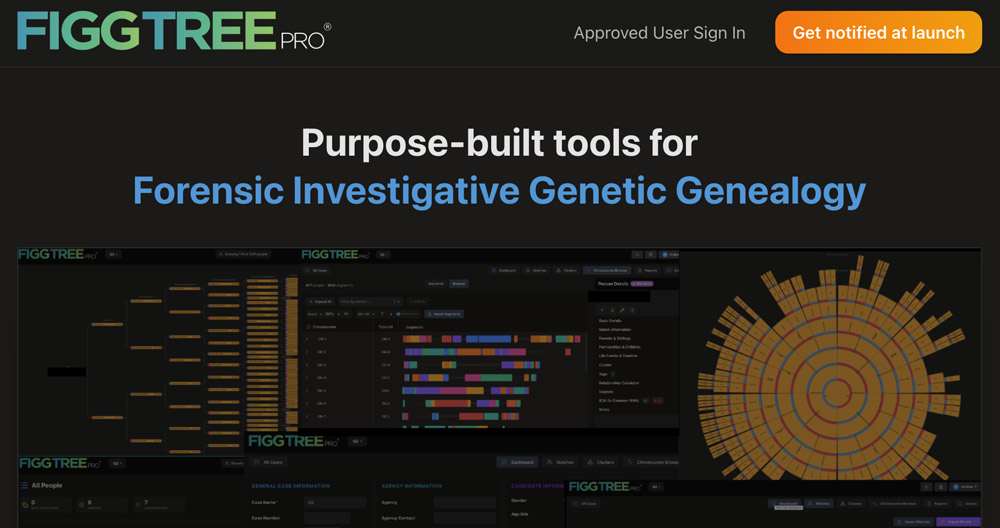
“An intuitive platform built specifically for forensic investigative genetic genealogy. Import DNA matches, build family trees, and generate leads.“
A new application designed for forensic investigative genetic genealogy workflows, FiggTreePro will launch later this summer, and I hope to report on it in more detail after this.
Final thoughts
In terms of the new tree applications I’ve played with, I have three main thoughts.
Simplicity is an asset
It’s possible to have too many features! Some of these sites are trying to do so many things that they can feel a bit overwhelming. Yes, I realize this definitely also applies to some of my own work!
AI raises new questions
Since creating these tools is now far quicker, there are potentially some ethical issues, which I guess echo some broader ethical concerns about AI:
- I will admit that when I first saw Ancestor Map Builder 2.0, it struck me that it not only does the same thing as the DNA Painter Places feature, but also takes an extremely similar visual approach, down to the colour coding and arrowheads.
- Was the person who created this aware of the Places feature? I have no idea; possibly not! Does it matter? Not really. It’s not as if my design was the most original thing in the world to start with anyway.
- TreeLab and the older Gedminer also have quite a lot in common, although each has developed its own strengths.
In a sense, not much has changed
Overall, the same principles as before govern whether or not a tool is successful – how well does it work and how easy is it to understand and use.
Five or ten years ago, if you had an idea for a genealogy tool, you either had to learn to program or persuade a developer to build it. Today, someone with a clear idea, persistence, and plenty of testing can often produce a useful working application themselves. And if they already have development and/or product management skills, AI can potentially help turbocharge this.
Features that might once have taken weeks to prototype can now often be explored in an afternoon. While this doesn’t remove the need for careful design or testing, it makes experimentation significantly easier.
My congratulations to everyone working on these new tools, and I hope they continue to evolve in ways that will help everyone with their research.
In conclusion, it’s exciting to see so many people experimenting with new applications and ideas. Even if you don’t personally have the desire to make tools, you can still help shape them by trying them out, suggesting improvements, and sharing feedback with their creators. This collaborative spirit was key to DNA Painter’s success, and I expect it to be just as important for the next generation of genealogy tools.
Contact info: @dnapainter.bsky.social / jonny@dnapainter.com